🤝 From the desk of @snook.ca: “I Added Syntax Highlighting Using the 11ty PrismJS Plugin”
https://accessibilite.p11e.dev/ is #BuiltAwesome by Pascal Cauhepe
New pre-release of Dev Server: v3.0.0-alpha.11 features some lovely dependency reduction work from @macwright.com 🙌🏻
Dependency package count reduced from 31 to 22 (-9)
Disk weight reduced from 2.1 MB to 1.7MB (-20.8%)
https://github.com/11ty/dev-server/releases/tag/v3.0.0-alpha.11
@11ty/eleventy-dev-server@3.0.0-alpha.11
A minimal, modern, generic, hot-reloading local web server to help web developers.
If you rely on YAML front matter timestamp (date) parsing in your projects (outside of the special `date` property that informs content dates), you’ll want to review this `canary` breaking change: https://github.com/11ty/buildawesome/issues/4333
Please weigh in with feedback!
Demos + Highlights of the New Icon Wizard | Font Awesome
In this livestream, we’ll walk through all the features of the new and improved Icon Wizard!
Come hang out — ask us anything!
Missed the livestream? Check out our screencast on using the Icon Wizard 2.0 (beta) 👀
https://youtu.be/7GpnRBcACK0?si=XBMeDhqkNVctaV4y
🚨 Live Now! Catch up with Jory & Noah on all things Icon Wizard 2.0 ✨
https://www.youtube.com/live/vKRvIfHP4vg?si=KDU5FkUpwAOp1IAA
⏰ Last call for the big event!
In 2.5 hours, Jory & Noah are showing off the new and improved Icon Wizard. Bring your weirdest ideas, and we'll bring them to life — live today at 1pm ET / 12pm CT / 10am PT!
🔗 Be there or, you know, be square:
www.youtube.com/live/vKRvIfH...
https://learneleventy.dev/ is a great resource from @spacegirl.ing! #BuiltAwesome
Join us tomorrow on YouTube for a live Icon Wizard demo, a few sneak peeks at what's next, and our best attempt at building icons from your chat requests. Bring your weirdest ideas.
📅 Aug 19 at 1pm ET / 12pm CT / 10am PT → https://www.youtube.com/live/vKRvIfHP4vg?si=okbpaatHDTuWlXbX
New release: Import v2.0.1
Bug fix for <code> import as Markdown, dependency upgrades, Node minimum bump to v20.19+
RE: https://mastodon.social/@webawesome/117112173438258454
See what's new on the blog → https://blog.fontawesome.com/how-does-web-awesome-stack-up-against-shoelace/
See what's new on the blog → blog.fontawesome.com/how-does-web...
Web Awesome ships a native.css layer that styles your actual HTML—headings, tables, forms, not just custom elements. Styles live in their own layer, so your CSS wins. Delete your !important declarations.
Still on Shoelace? blog.fontawesome.com/how-does...
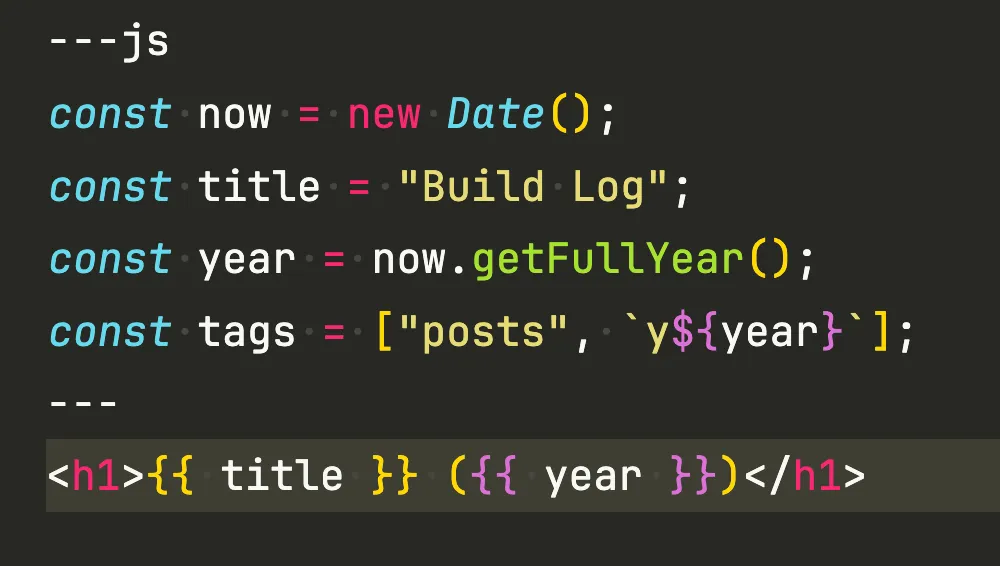
Did you know? Eleventy v3 shipped with JavaScript front matter built-in (no plugin or extra config needed!)
Use ---js to enable it. Easier than a separate JavaScript data file!
Learn more: https://www.11ty.dev/docs/data-frontmatter/#java-script-front-matter
@11ty/import@2.0.1
Utility to import content from multiple services (and a CLI, too)
https://varun.ch/ is #BuiltAwesome by Varun Biniwale
Web Awesome ships a native.css layer that styles your actual HTML—headings, tables, forms, not just custom elements. Styles live in their own layer, so your CSS wins. Delete your !important declarations.
Still on Shoelace? https://blog.fontawesome.com/how-does-web-awesome-stack-up-against-shoelace/
How Does Web Awesome Stack Up Against Shoelace?
Also covered in this episode: the many aliases for the beach ball, including SBBOD, SPOD, marble of doom, and (our genuine favorite) "bun of death," coined after someone spotted it on a bakery sign in Vienna.
It's genuinely delightful that a bakery in Vienna nicknamed this thing the "bun of death." A Gizmodo reader spotted it on a sign. Design nerdery has no borders.
🤝 From the desk of @spacegirl.ing: “My new Learn Eleventy course”
Using the Icon Wizard | Doing More with Font Awesome [Part 8]

Ready to make your own icons? In this screencast, we’ll show you how to use the Icon Wizard to stack, blend, and combine Font Awesome icons into custom creations.
From adding icons and modifiers to fine-tuning layers and saving your finished creation to a Kit, we’ll walk through everything you need to start conjuring up some custom icon magic.
🧠 What You’ll Learn in This Screencast
🧩 Add icons, modifiers, elements, and User Blender pieces as layers
🎨 Position, scale, rotate, and blend layers to build your icon
✨ Combine layers with Add, Subtract, and Stroke blend methods
🔀 Reorder, duplicate, and remove layers as you build
💾 Save your custom icon directly to a Font Awesome Kit
🚀 Use your saved icon in your projects just like any other Font Awesome icon
📥 Download your creation as an SVG or PNG
🔗 Share your custom icon with a public landing page
⌨️ Use keyboard shortcuts to nudge, resize, flip, center, and manage your layers
⏱ Timestamps
00:00 – What is the Icon Wizard?
00:15 – Get started
00:30 – Building an icon
01:43 – Saving & sharing your icon
02:27 – Outro
The Icon Wizard is currently a beta feature, so come play around, get creative, and let us know what you think.
🔗 Links & Resources
📚 Learn more about the Icon Wizard: [https://docs.fontawesome.com/web/add-icons/icon-wizard/v2]
✨ Conjure the Icon Wizard: [https://fontawesome.com/icons/wizard]
Learn more: www.11ty.dev/docs/config-...
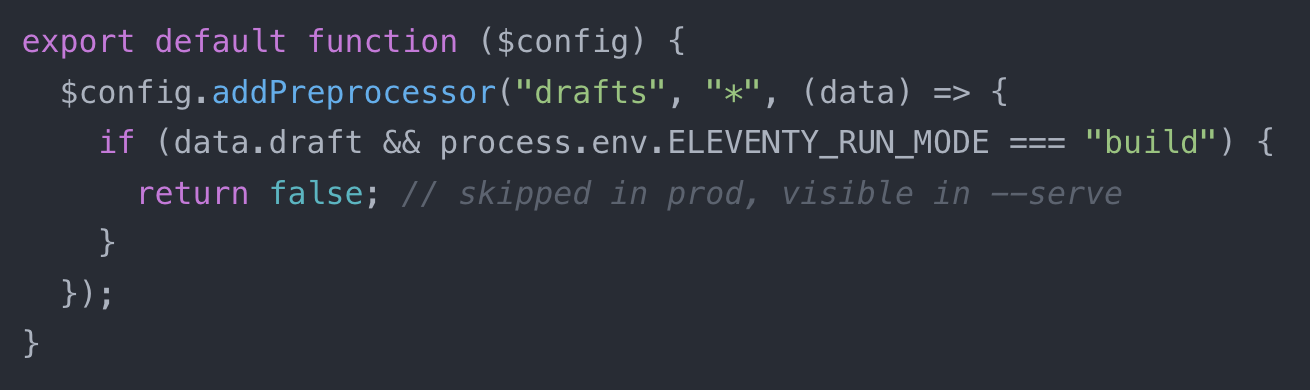
Add support for Drafts (in-progress content) using this five line config. This includes draft content during --serve or --watch but not with a regular build!
Learn more: https://www.11ty.dev/docs/config-preprocessors/
https://www.joshcanhelp.com/ is #BuiltAwesome by Josh Cunningham
The beach ball's direct ancestor is a monochrome icon on NeXT computers representing a spinning magneto-optical disc, circa 1988. NeXT flopped. Apple acquired it in 1996. The icon survived and eventually got a rainbow Aqua makeover.
Susan Kare designed the original Mac's wait cursor concepts with a $2.50 sketchbook and a 32x32 pixel grid. Same method she used for the floppy disk save icon.
She is quietly responsible for a shocking amount of what you've stared at while a computer thinks.
New on the blog: Part 3 of our design systems series is the hands-on one. Visual audits, color palettes, type scales, spacing rules — the actual bones of a system that scales.
How to Build and Style Your Visual Design System [Part III]
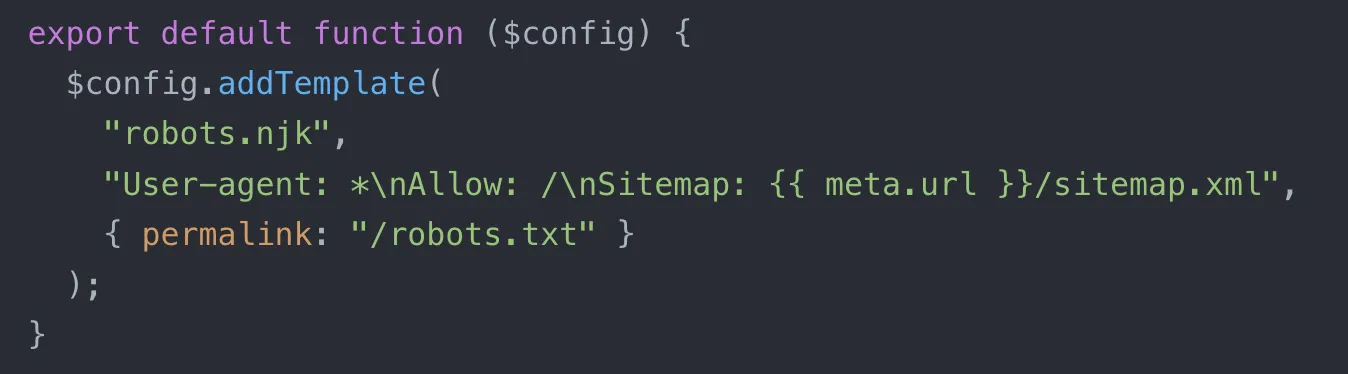
Did you know? Your robots.txt, 404 page, or sitemap.xml don't need to be files in your project. Virtual templates let you generate any output file via config (or plugin).
Read more: https://www.11ty.dev/docs/virtual-templates/
Check out 'Creation #112' from the Font Awesome Icon Gallery!
Curious about the new and improved Icon Wizard 2.0?
Join Jory & Noah as they share demos, answer questions, and talk all things Icon Wizard.
📅 Aug 19 at 1pm ET / 12pm CT / 10am PT → https://www.youtube.com/live/vKRvIfHP4vg?si=4gp8Qu0DXwz8wkAp
https://www.sebastiankleinphotography.com/ is #BuiltAwesome 🏆 by Sebastian Klein
https://tampamonitor.com/ is #BuiltAwesome 🏆 by Michael Bishop
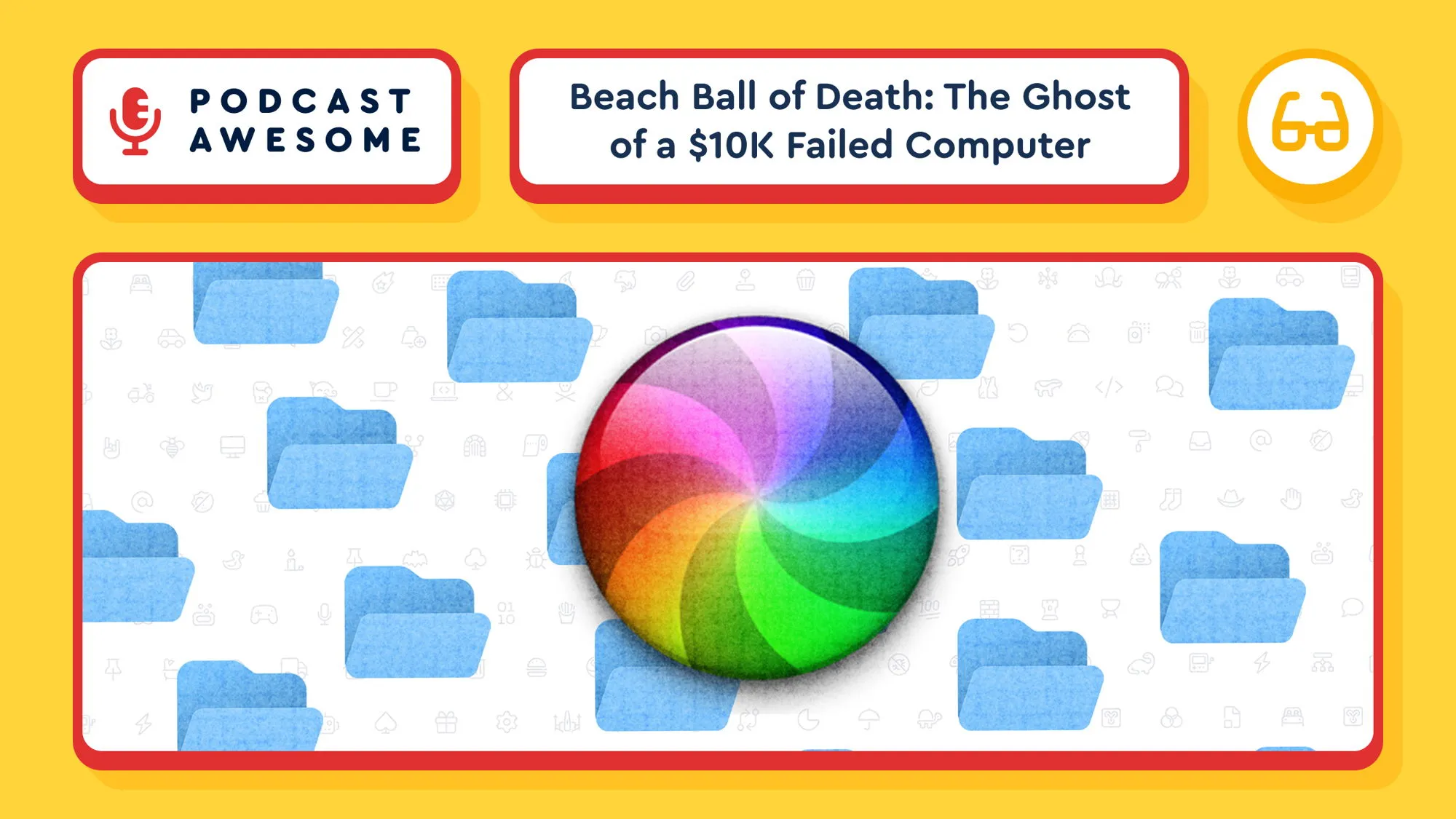
New episode of Podcast Awesome digs into the actual history of the Mac's "beach ball of death" cursor: Xerox PARC, Susan Kare, a failed $10,000 NeXT computer, and Steve Jobs's years outside of Apple.
Watch → https://youtu.be/MothoHNhc7E?si=6GAlUXvu5eT06NfE
Listen → https://www.buzzsprout.com/2092855/episodes/19626534
#Apple #DesignHistory #TechHistory #MacOS #PodcastAwesome
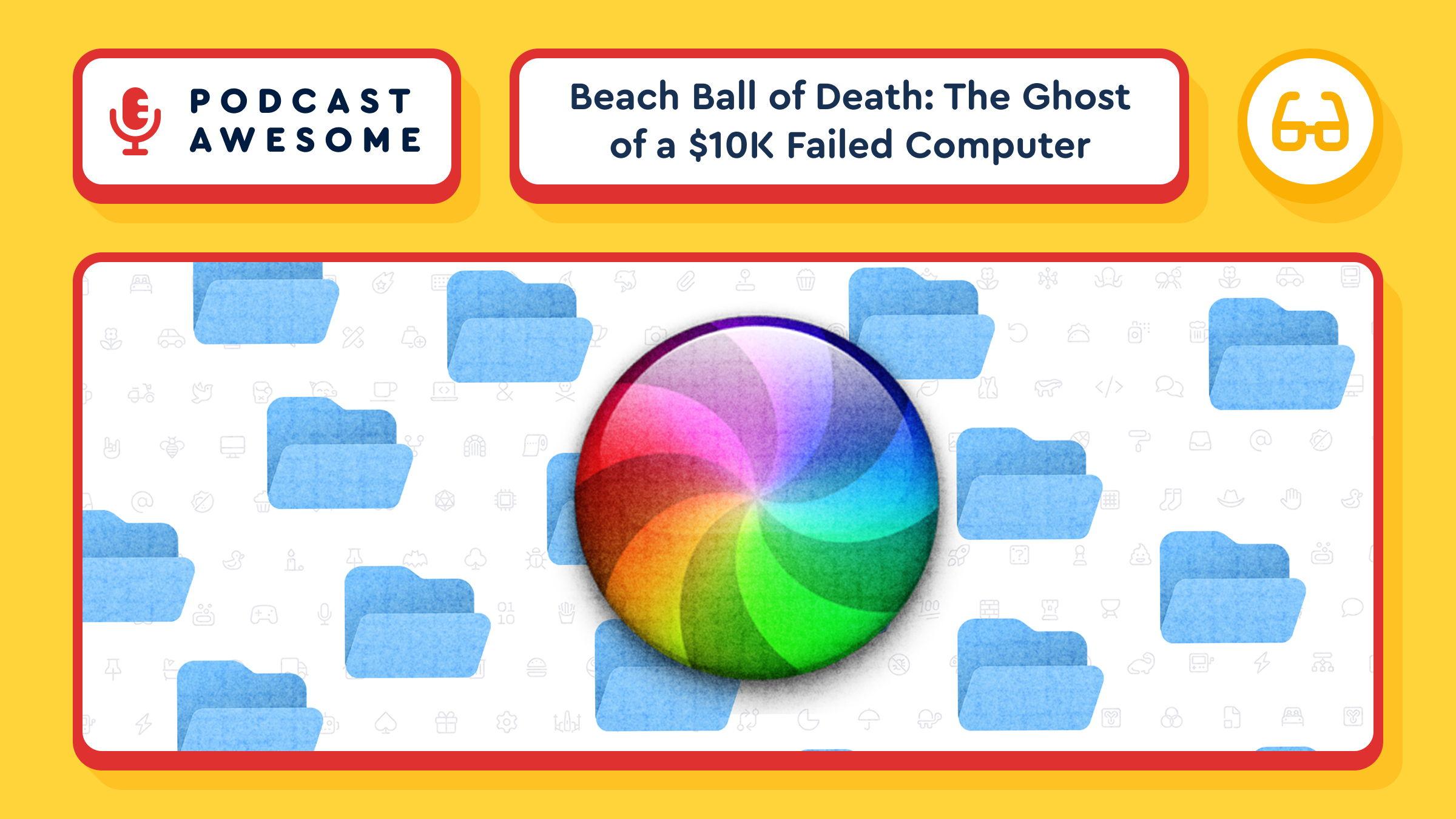
New episode: we chased down the actual origin story of the Mac's spinning rainbow "beach ball of death." A $10,000 flopped computer. Steve Jobs in exile. A forgotten disc format. It's all in there.
Watch -> youtu.be/MothoHNhc7E?si=6GAlU...
Listen -> www.buzzsprout.com/2092855/ep...
New release: Image Color v2.0.0
Fetch colors from any image for theming! Makes use of the new Image v7 release internally.
Beach Ball of Death: The Ghost of a $10K Failed Computer

You've seen it a thousand times: you're two minutes late for a video conference call, you throw on a shirt with buttons (It's okay that you're still wearing jammie pants. Don't worry, nobody can see), and right when you need your computer most, that colorful spinning ball shows up to ruin your day. It's called a lot of things, but most of us just call it a curse word.
Today we trace the beach ball of death back to its actual origin story, which involves a $10,000 computer that flopped commercially, Steve Jobs in exile, a forgotten storage format, and Susan Kare's sketchbook. Turns out the most hated icon in computing has a surprisingly great pedigree.
We also get into why the beach ball exists at all (psst: it's your OS parenting a misbehaving app), how it could've been a spinning slice of pizza, and why Apple Silicon might be quietly killing it off for good.
**
What We Cover**
- How much of life is spent waiting on machines, and why the frustration doesn't stop when you sit down at your computer
- The Xerox PARC origins of the "wait" cursor and Susan Kare's contributions at Apple
- Windows 95 and the golden age of customizable cursors (RIP, dancing banana)
- The lineage from hourglass to wristwatch to spinning disk to beach ball to flat ring
- How NeXT, the company Steve Jobs founded after leaving Apple, gave us the beach ball's true ancestor
- Why Apple's 1996 acquisition of NeXT brought the spinning cursor along with it
- How Aqua and Mac OS X turned a monochrome disk icon into a glossy rainbow ball
- The many names for the beach ball, including the delightfully specific "bun of death"
- Why the beach ball is becoming rarer on modern Macs, and what that means for a whole generation of users
**
Timestamps**
00:00 - Cold open: the dreaded beach ball
01:00 - Welcome to Podcast Awesome
01:15 - How much of our lives we spend waiting on machines
02:00 - Xerox PARC and the first "please wait" cursor
02:30 - Susan Kare's contributions to the original Mac
03:30 - Windows 95 and the era of customizable cursors
05:00 - The full lineage: hourglass to beach ball to flat ring
05:30 - Enter NeXT, Steve Jobs's post-Apple company
06:00 - The $10,000 computer nobody could afford
07:00 - Apple acquires NeXT, and the spinning disk comes along
08:00 - The beach ball as an OS parenting a misbehaving app
09:30 - Aqua, Mac OS X, and the rainbow makeover
11:30 - Every alias for the beach ball, including the "bun of death"
13:00 - How Apple Silicon is making the beach ball appearance rarer
3:45 - Closing thoughts and credits
**
Credits**
- Hosted, produced, and edited by Matt Johnson
- Theme song by Ronnie Martin
- Music interstitials by Zach Malm
- Video editing by Isaac Chase
**
Sources Referenced**
Erin J. Rimmer's "The Utterly Obscure History of the Computer Cursor" on Obsolete Technology
Dan Vincent's "What's Inside a NeXT Computer Accessory Kit?" on Userlandia
Stay up to date on all the Font Awesomeness!
New v2.0.0 release of our Browsersync plugin (for folks not using the newer Dev Server): https://github.com/11ty/eleventy-server-browsersync/releases/tag/v2.0.0
https://hugopilate.com/ is #BuiltAwesome by Hugo Pilate
@11ty/eleventy-server-browsersync@2.0.0
An Eleventy server plugin to use Browsersync with Eleventy 2.0+.
The Icon Wizard gallery keeps filling up with incredible creations, and we can't stop scrolling. 👀
Here are a few of our favorites from this week. Think you can outdo them? Enter the Icon Wizard Contest for a chance to win a free year of Pro.
Check out the gallery → fontawesome.com/icons/gallery

Four ways to win: Most Useful, Most Creative, Best Remix, Funniest Icon. Pick your lane (or ignore the lanes entirely).
Want to show off your icon? Tag us!
https://fontawesome.com/icons/wizard
Check out "sith + chef + hat-chef + fork + knife" from the Font Awesome Icon Gallery.
The Icon Wizard now does stacking, shape combining, resizing, nudging. Pretty much everything (except make you a sandwich. We've tried). So, the next obvious move: create an Icon Wizard contest! ✨
Build something in the Icon Wizard, submit it to the gallery, win a free year of Pro!
Get to building → https://fontawesome.com/icons/wizard
Read the blog for more details → https://blog.fontawesome.com/build-an-icon-nobodys-ever-made-and-then-show-it-off/
The Icon Wizard now stacks, combines shapes, resizes, and nudges. So naturally... we're having an Icon Wizard Contest. ✨
Build something, submit it to the gallery, and you could win a year of Pro!
Get to building → fontawesome.com/icons/wizard
The New Icon Wizard: Build an Icon Nobody’s Ever Made
Turns out HTTP 418 "I'm a teapot" started as a joke RFC published on April Fools' Day 1998, and developers organized a whole movement (save418.com) to keep it in the spec when the IETF tried to remove it in 2017.
Status code 418, "I'm a teapot," started as an April Fools' joke in RFC 2324, published in 1998. When the IETF tried to remove it in 2017, the dev community built a whole movement to save it.
We also cover Font Awesome's own 404 pages, which are stuffed with references: Ghostbusters, Planes Trains and Automobiles, Star Wars, and a hidden Mario Easter egg on the icons page.
Watch → youtu.be/S1ftZ_Swnmg?...
Icon Wizard 2.0
Icon Wizard 2.0 lets you combine and remix icons, build custom characters, and add your creations straight to a Kit.
A wizard arrives precisely when he means to, and Icon Wizard 2.0 has arrived. Combine and remix icons into something all your own: stack on modifiers and elements, or conjure a custom character in the User Blender. Then drop your creation straight into your Kit, download it, or share it with a link. Try the Icon Wizard or read the docs.
WA 3.11: Data Grid, New Components, Plus Free Toast
WA 3.11 puts everything in its place:
📊 <wa-data-grid>, sortable, filterable, and virtualized tables at last
🔢 <wa-pagination>, for paging through results and lists
🔢 <wa-otp-input> for PINs, 2FA, and verification codes
🍞 <wa-toast> moves from Pro to Core, notifications for everyone
🧰 Fixes and improvements
See it all: https://webawesome.com/docs/resources/changelog#wa_3110
@awesome.me/webawesome@3.11.0
A forward-thinking library of web components.
Room 404 at CERN never existed. No secret office, no missing Tim Berners-Lee. The internet's 404 origin story is completely made up, (but the legend's still fun!).
Watch → youtu.be/S1ftZ_Swnmg?...
Listen → www.podcastawesome.com/2092855/epis...
New pod: the "Room 404 at CERN" myth is completely made up, the real origin is delightfully boring, and somehow that all leads to 418 coffee pot protocol from 1998. What in the world are we even talking about?! Listen to the latest episode to find out! 🎙️
Watch → https://youtu.be/S1ftZ_Swnmg?si=UHPc3pgg242kXJG1
Listen → https://www.podcastawesome.com/2092855/episodes/19564896
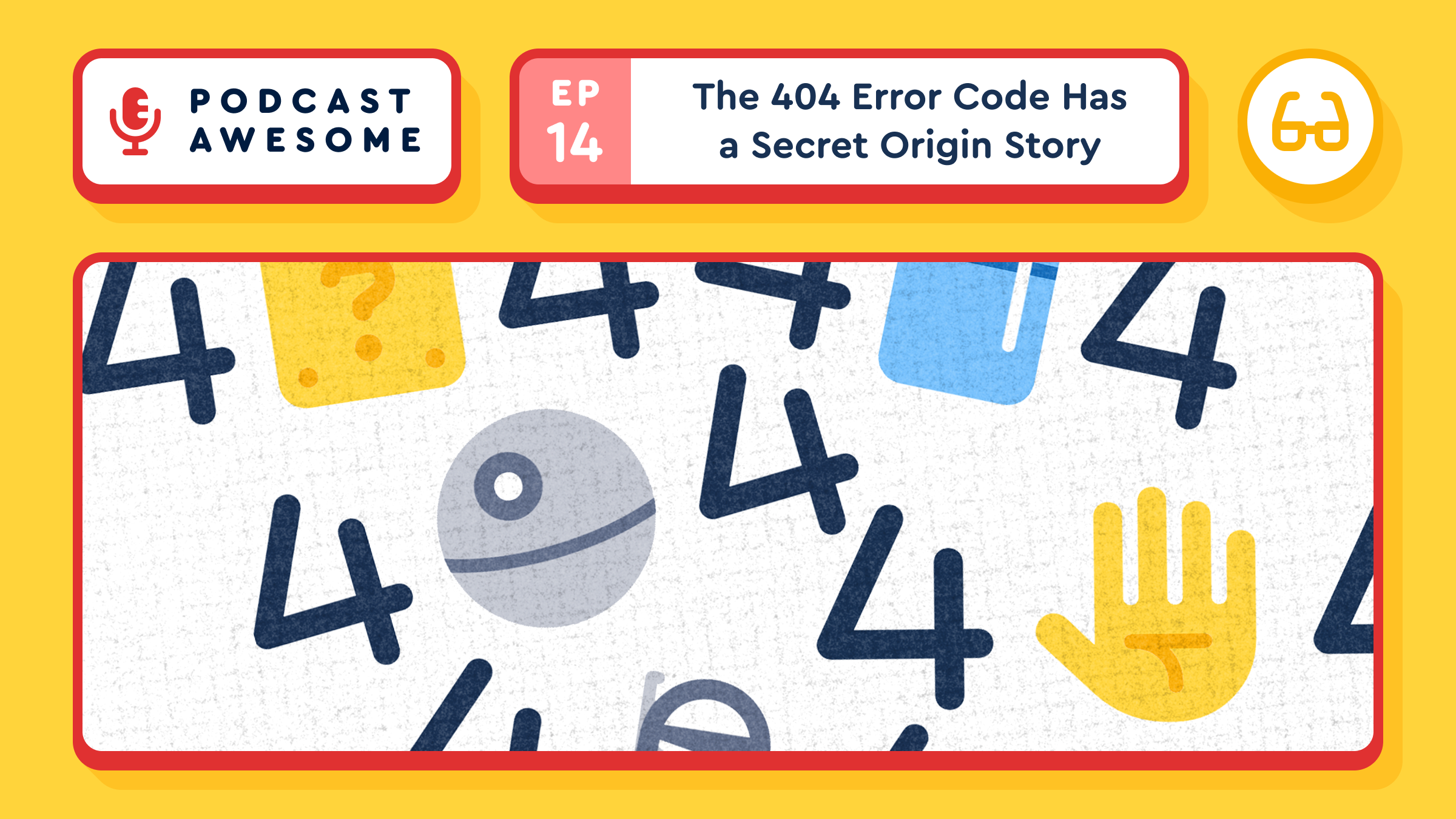
The 404 Error Code Has a Secret Origin Story
Picture this serious, sterile scene: scientists in lab coats, pocket protectors, carrying clipboards, and nobody’s making eye contact. Nobody would guess that this backdrop would produce some of the best internet lore.
In this episode, we dig into the myth that the 404 error page came from "Room 404" at CERN, track down what a co-creator of the web actually had to say about it, and land on the real, much more boring origin. Along the way we detour into the HTTP status code that was invented as an April Fools' joke, then defended by the developer community hard enough that it got its own RFC. We close it out with a tour of the internet's best 404 pages, including a deep dive into Font Awesome's own, with Jory Raphael.
What We Cover
- The Room 404 myth: how it started, why it spread, and why Robert Cailliau, one of the actual creators of the web, wants nothing to do with it
- The real, much less exciting origin of the 404 status code
- Why HTTP works like a librarian with no short-term memory
- Larry Masinter's HTCPCP proposal and the accidental birth of the 418 "I'm a teapot" code
- How the dev community fought to save 418 when the IETF tried to reclaim it
- A tour of the internet's best 404 pages: GitHub, Pixar, Lego, and Figma
- Behind the scenes of Font Awesome's own 404 pages with Jory Raphael, including the Ghostbusters, Planes, Trains and Automobiles, Star Wars, and Mario references hiding in them
- The Easter egg hiding on the Font Awesome icons page (and another one on Blog Awesome)
Timestamps
- 00:00 – Cold open: if particle physics research is this serious, how did it produce such a goofy myth?
- 01:00 – Intro to the episode and the CERN backstory begins, where human "servers" fetched documents by hand
- 03:00 – How the Room 404 legend took hold, per Wired's reporting
- 04:00 – Robert Cailliau's one-word review of the myth: "Sigh"
- 05:00 – The actual, much more mundane origin of the 404 code, plus the DMV and librarian analogies
- 07:00 – Larry Masinter, RFC 2324, and the Hypertext Coffee Pot Control Protocol
- 08:00 – The community backlash when the IETF tried to reclaim status code 418
- 09:00 – Shane Brunswick's save418.com stand, then back to great 404 pages: GitHub's Octocat
- 10:00 – Pixar's Inside Out 2 tie-in 404
- 11:00 – Lego's "oh, bricks" 404 and Figma's interactive one
- 12:00 – Font Awesome's own 404 pages, including the Susan Kare bomb-icon origin story
- 13:00 – The Ghostbusters Easter egg
- 14:00 – The Planes, Trains and Automobiles reference and Brian's hidden hand-wave Easter egg
- 15:00 – Star Wars references and the FA-ndolorian
- 16:00 – The Mario reference, the icons page Easter egg, and the old Blog Awesome 404s, including "Where's my sandwich?"
- 17:00 – A shoutout to Brian, the mind behind Font Awesome's 404 copy, and the outro begins
- 18:00 – Closing credits and sign-off
Credits
Hosted by Matt Johnson
Featuring Jory Raphael
Produced and edited by Matt Johnson
Theme song by Ronnie Martin
Music interstitials by Zach Malm
Video editing by Isaac Chase
Links
- SmarterMSP: Tech Time Warp — The 411 on the 404 Page
- The History of the Web: Sorry Computer, You're Not a Teapot
- RFC 2324: Hyper Text Coffee Pot Control Protocol (HTCPCP/1.0)
- Save418.com
- Font Awesome
#PodcastAwesome #404Error #WebHistory #InternetLore #TechTrivia #HTTPStatusCodes #FontAwesome #DesignPodcast
Stay up to date on all the Font Awesomeness!
@11ty/gray-matter@3.0.0
Parse front-matter from a string or file. Fast, reliable and easy to use. Parses YAML front matter by default, but also has support for YAML, JSON, TOML Front-Matter, with options to set custom delimiters. Used by metalsmith, assemble, verb and many other
@11ty/image-color@2.0.0
Small utility to efficiently fetch the colors from an image.
STABLE RELEASE KLAXON
Image 🖼️ v7.0.0
Release: https://github.com/11ty/image/releases/tag/v7.0.0
Docs: https://www.11ty.dev/docs/plugins/image/
Huge memory usage improvements 🎉
Thank you: Jens Tangermann, @kevinyank.com, Kirthi Balakrishnan, Valadaptive, Jorn Mineur
@11ty/eleventy-img@7.0.0
Low level utility to perform build-time image transformations.
https://mattdoane.com/ is a personal web site #BuiltAwesome by @mattdoane.com 🏆
Copy and Move Custom Icons
Copy or move custom icons from one Kit to another, one at a time or in bulk.
Custom icons aren't stuck in the Kit you uploaded them to anymore. Copy or move one from its detail view, or select a batch on the Custom Icons tab and move them all at once. No downloading and re-uploading required. Try it from your Kits.
We are only 196 stars away from 20k stars on GitHub: https://github.com/11ty/buildawesome
Have you starred Build Awesome (11ty) yet?
Pre-release for testing: Image v7.0.0-alpha.5
So many performance improvements and fixes!
https://github.com/11ty/image/releases/tag/v7.0.0-alpha.5
Thank you to: Kirthi Balakrishnan, @djenz, Jorn Mineur
@11ty/eleventy-img@7.0.0-alpha.5
Low level utility to perform build-time image transformations.
https://aphera.co is #BuiltAwesome #BuiltWithEleventy by Ryan Carver, @nazhamid.com, and Juan Pablo Zambrano!
Case study in brand consistency, starring my dog: he wags his tail for Starbucks before he's close enough to see the sign. No one primed him. The consistent experience did that on its own. Humans respond the same way, minus the tail.
Anecdote from the post: my Shih-tzu can identify a Starbucks before I can. Not from the sign. From pure pattern recognition built on consistent experience. If a dog can learn your brand, your users are learning your brand, too.
Part 2 of our design systems series is up: the actual components (color, type, icons, imagery, layout, UI elements) that give a design system its teeth. blog.fontawesome.com/design-s...
Part 2 of our design systems series is up: the actual components (color, type, icons, imagery, layout, UI elements) that give a design system its teeth. blog.fontawesome.com/design-s...
Design system components, Part 2: color palette, typography, iconography, imagery, layout, and UI components. The unglamorous ingredients that make a product feel like one coherent thing. https://blog.fontawesome.com/design-system-components/
The Building Blocks of a Visual Design System [Part II]
https://autheona.com/ is #BuiltAwesome #BuiltWithEleventy by Lasan Nishshanka
@fortawesome/vue-fontawesome@3.3.3
Official Vue component for Font Awesome 7
The Mosaic icon style has roots in Josh's Uni Calendar. Highly geometric, mid-century-ish, reusable shapes that show up differently but hold the whole set together.
The name makes sense when you hear it explained.
Watch → youtu.be/vpgC_N2s49I?...
Listen → www.podcastawesome.com/2092855/epis...
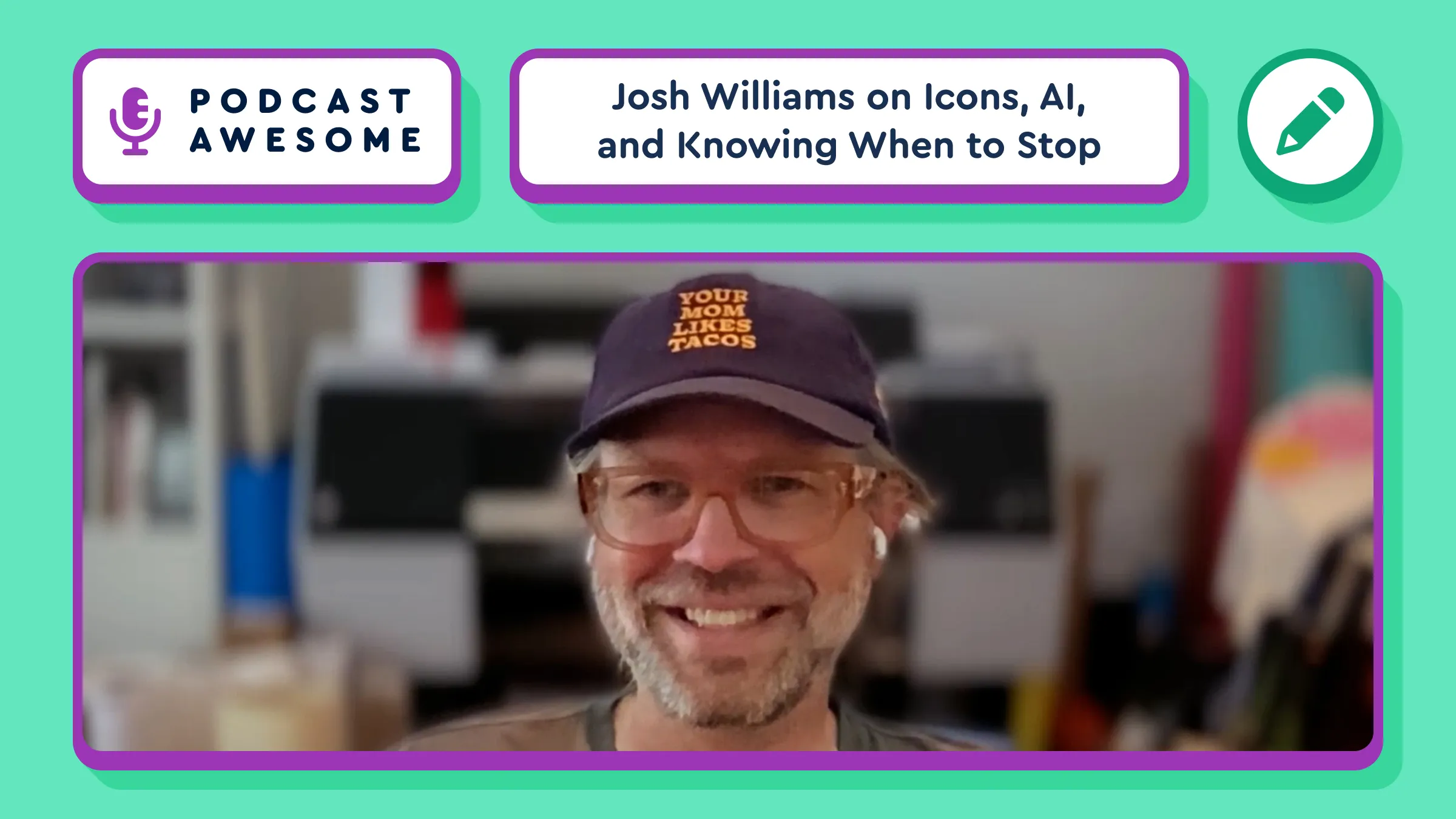
Why do some interfaces just feel right?
Spoiler: it's not just colors and components. It's visual cohesion.
We pixel-peep the details in our latest Blog Awesome. 👀
https://blog.fontawesome.com/visual-cohesion-design-systems/

@fortawesome/react-fontawesome@3.5.0
Official React component for Font Awesome
@fortawesome/fa-icon-chooser-react@0.11.0
React specific wrapper for @fortawesome/fa-icon-chooser
@fortawesome/fa-icon-chooser@0.11.0
Font Awesome Icon Chooser
Another topic that emerged: Font Awesome's internal AI experiment weekend, and why "taste" and discernment turned out to be the hardest thing to automate.
Also in this one: the early App Store days of one-off apps that were just what they were (RIP the beer-drinking app), and whether that fun, tinkerer spirit can come back now that side projects are cheaper to ship.
Josh's advice for new icon designers: the old constraints (tiny pixel grids, limited colors) are gone. What's next hasn't been figured out yet — which is the exciting part.
An interesting part of this convo ... in the age of AI, maybe taste and discernment on what NOT to build is the new workflow bottleneck. Building has never been easier. Knowing what's worth building is the actual skill now.
@fortawesome/free-brands-svg-icons@7.3.1
The iconic font, CSS, and SVG framework
@fortawesome/free-regular-svg-icons@7.3.1
The iconic font, CSS, and SVG framework